
Microsoft
70-415 · Question #10
Your network contains an Active Directory domain named contoso.com. You have a custom image of Windows 8 that contains a Windows Store application named Appl. You need to remove App1 completely from…
Sign in or unlock 70-415 to reveal the answer and full explanation for question #10. The question stem and answer options stay visible for context.
Plan and implement a Microsoft deployment strategy
Question
Your network contains an Active Directory domain named contoso.com. You have a custom image of Windows 8 that contains a Windows Store application named Appl. You need to remove App1 completely from the image. You must achieve the goal by using the minimum amount of administrative effort. What should you do?
Exhibit
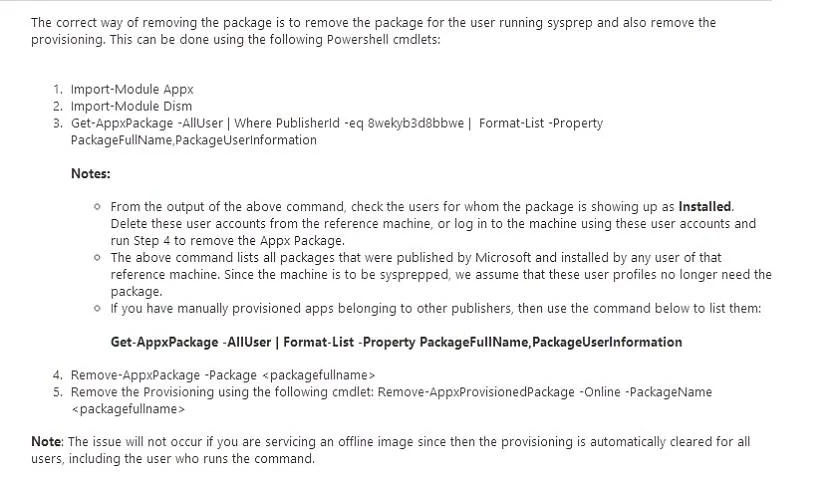
Options
- ARun the dism.exe command and specify the /image parameter and the /Remove-Package
- BRun the dism.exe command and specify the /image parameter and the /Remove-
- CRun the imagex.exe command and specify the /mountrw parameter and the /delete
- DRun the imagex.exe command and specify the /mountrw parameter and the /cleanup
Unlock 70-415 to see the answer
You've previewed enough free 70-415 questions. Unlock 70-415 for full answers, explanations, the timed quiz mode, progress tracking, and the master PDF. Question stem and options stay visible so you can still see what's on the exam.
Topics
#DISM#Windows Store app removal#image servicing#provisioned package