
70-332 · Question #40
A company uses SharePoint Online. The company has implemented eDiscovery. You create a security group named eDiscovery. You need to ensure that users in the eDiscovery group can view all…
The correct answer is A. Add the eDiscovery group as site collection administrators for every site collection that contains discoverable content. In SharePoint Online eDiscovery, adding the eDiscovery security group as site collection administrators is the correct way to grant full visibility into all discoverable content across site collections.
Question
Exhibit
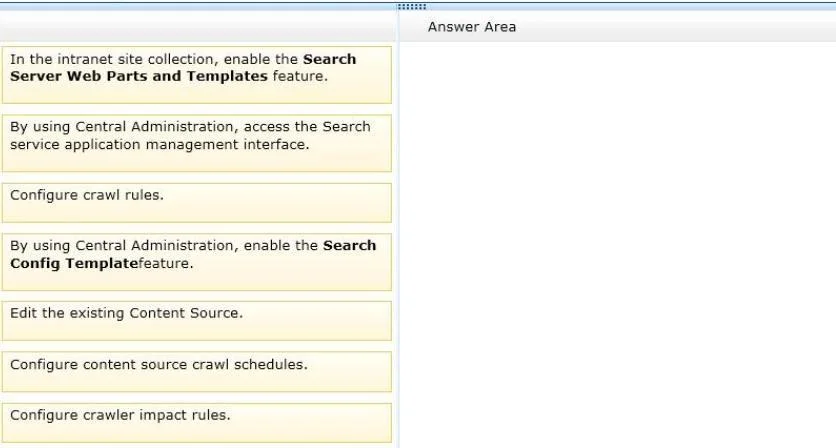
Options
- AAdd the eDiscovery group as site collection administrators for every site collection that contains discoverable content.
- BGrant Full Control permissions to eDiscovery administrators.
- CGrant the eDiscovery group access to content in all web applications by using a web application User policy.
- DConfigure the eDiscovery center to use forms-based authentication.
How the community answered
(22 responses)- A77% (17)
- B5% (1)
- C5% (1)
- D14% (3)
Why each option
In SharePoint Online eDiscovery, adding the eDiscovery security group as site collection administrators is the correct way to grant full visibility into all discoverable content across site collections.
Site collection administrators in SharePoint have unrestricted access to all content within a site collection, including content that may be hidden from other permission levels. Assigning the eDiscovery group as site collection administrators across every relevant site collection ensures members can view, search, and act on all discoverable content without being blocked by item-level permissions or subsites.
Granting Full Control at the site or web level does not override all item-level or subsite permission boundaries, and it does not provide the same elevated access as site collection administrator status.
Web application User policies apply only to SharePoint Server on-premises and are not available in SharePoint Online, making this option invalid in this context.
Forms-based authentication is an identity provider configuration that controls how users authenticate, and has no effect on what content eDiscovery administrators can access.
Concept tested: eDiscovery permissions via site collection administrator role
Source: https://learn.microsoft.com/en-us/microsoft-365/compliance/assign-ediscovery-permissions
Topics
Community Discussion
No community discussion yet for this question.