
70-158 · Question #4
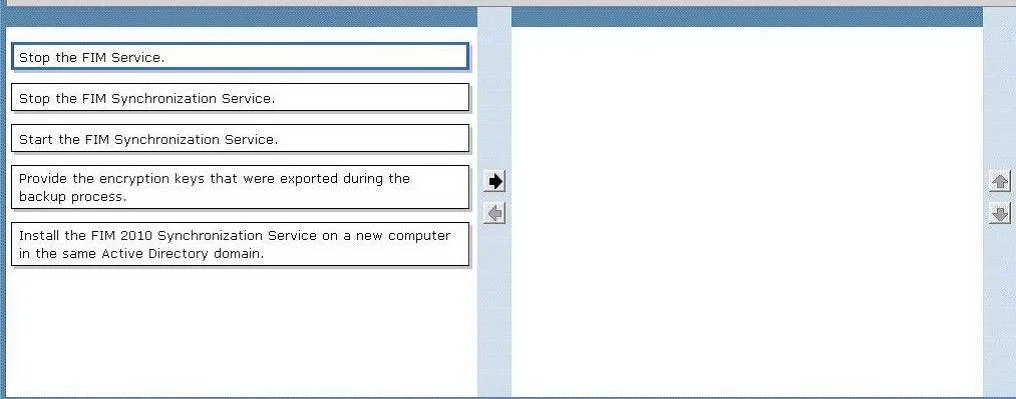
Drag and Drop Question Your company network includes Forefront Identity Manager (FIM) 2010 and Microsoft SQL Server 2008. A backup of FIM Synchronization Service is preformed daily. The FIM…
The correct answer is Install the FIM 2010 Synchronization Service on a new computer in the same Active Directory domain.; Provide the encryption keys that were exported during the backup process.; Start the FIM Synchronization Service. When restoring FIM Synchronization Service after a failure, the correct procedure is to first install FIM 2010 Synchronization Service on a new computer in the same Active Directory domain, and then provide the encryption keys that were exported during the backup process. The…
Question
Exhibit
Answer Area
Drag items
Correct arrangement
- Install the FIM 2010 Synchronization Service on a new computer in the same Active Directory domain.
- Provide the encryption keys that were exported during the backup process.
- Start the FIM Synchronization Service.
Explanation
When restoring FIM Synchronization Service after a failure, the correct procedure is to first install FIM 2010 Synchronization Service on a new computer in the same Active Directory domain, and then provide the encryption keys that were exported during the backup process. The encryption keys are critical because FIM Sync uses them to protect sensitive data (such as connector credentials and attribute values) stored in the metaverse; without restoring these keys, the service cannot decrypt the previously stored data and will not function correctly with the restored database.
Topics
Community Discussion
No community discussion yet for this question.