350-401 · Question #1020
350-401 Question #1020: Real Exam Question with Answer & Explanation
The correct solution requires two distinct configurations: On SW01, the 'archive' feature with 'log config' and 'logging enable' (plus 'notify syslog contenttype plaintext' or 'hidekeys') tracks configuration changes and the user responsible, which is the purpose of archive loggi
Question
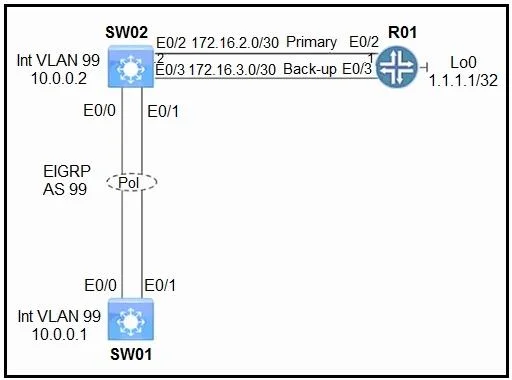
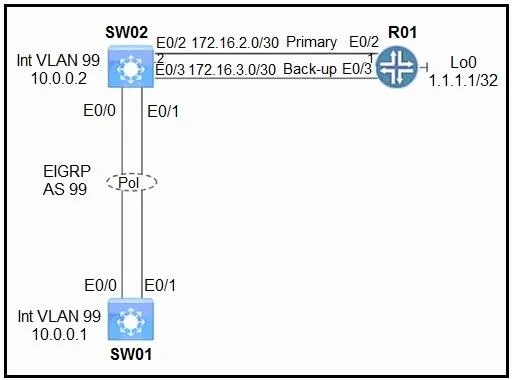
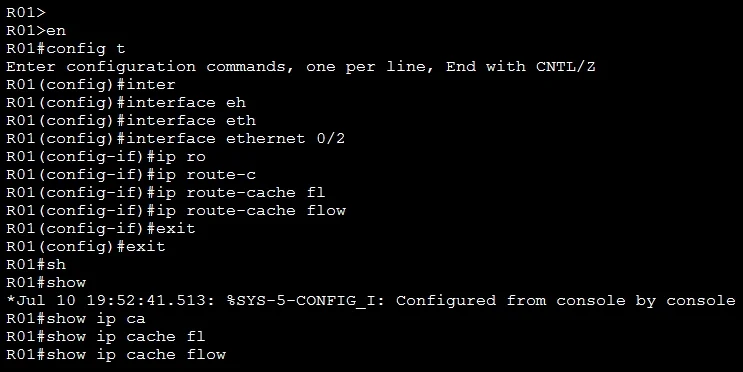
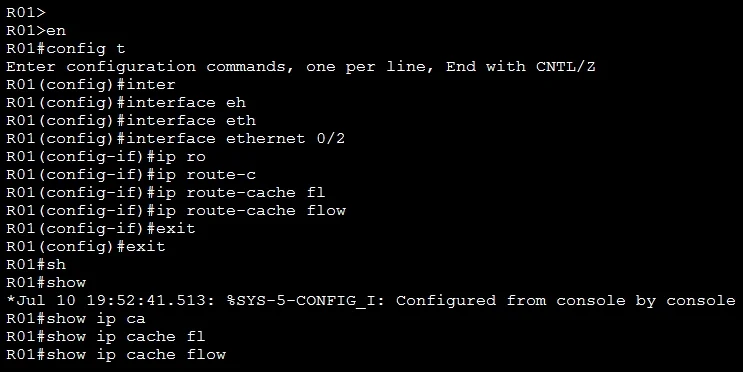
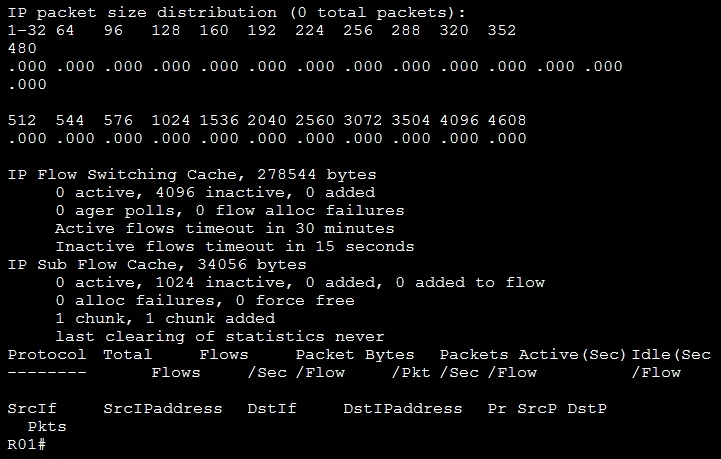
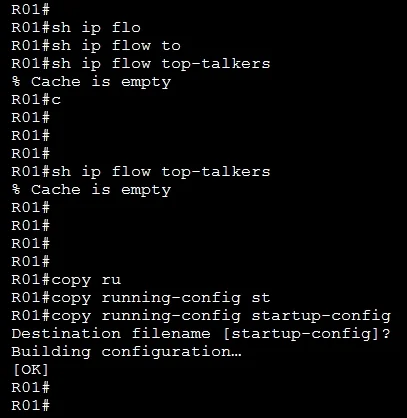
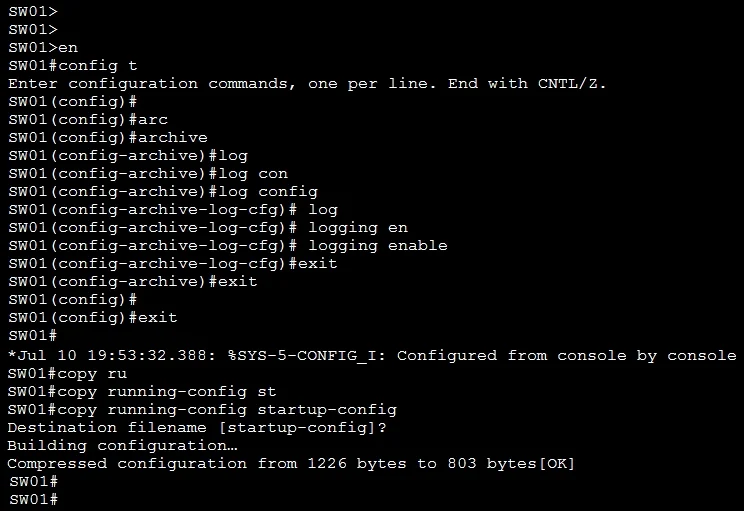
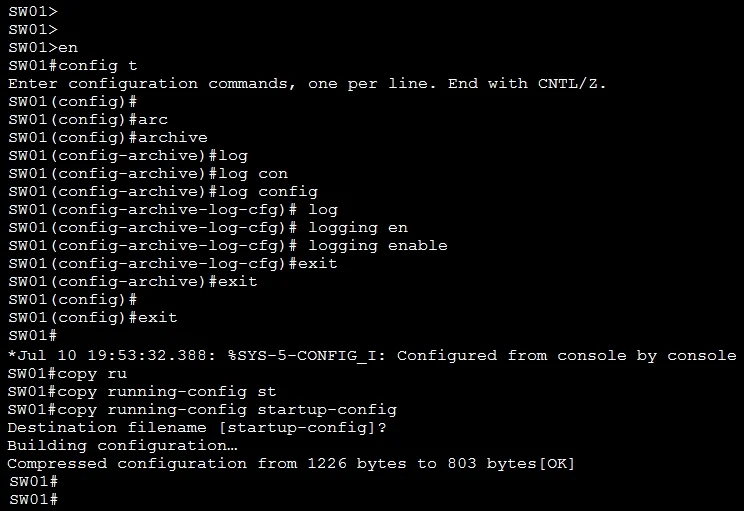
Lab Simulation 10 Guidelines This is a lab item in which tasks will be performed on virtual devices. - Refer to the Tasks tab to view the tasks for this lab item. - Refer to the Topology tab to access the device console(s) and perform the tasks. - Console access is available for all required devices by clicking the device icon or using the tab(s) above the console window. - All necessary preconfigurations have been applied. - Do not change the enable password or hostname for any device. - Save your configurations to NVRAM before moving to the next item. - Click Next at the bottom of the screen to submit this lab and move to the next question. - When Next is clicked, the lab closes and cannot be reopened. Topology Tasks Configure logging on SW01 and NetFlow on R01 to achieve these goals: 1. Enable archive logging on SW01 to track each time a change is made to the configuration and the user who made the change. 2. The NetFlow Top Talkers feature has been preconfigured on R01. Enable the feature for all inbound traffic on interface E0/2 of R01. R01 SW01 Answer: Note: The IP addresses, VLAN number may be different so please check them carefully. Task 1. Enable archive logging on SW01 SW01(config)#archive //Enters archive configuration mode. SW01(config-archive)# log config //Enters configuration change logger configuration mode. SW01(config-archive-log-config)# logging enable //Enables the logging of configuration changes. Task 2. The NetFlow Top Talkers feature has been preconfigured on R01. Enable the feature for all inbound traffic on interface E0/2 of R01. R01(config)#interface Ethernet 0/2 R01(config-if)#ip route-cache flow //track all ingress flows on the physical and all sub-interfaces. If this command does not exist, please use the command "ip flow ingress" instead. Verification R1#show ip cache flow R1#sh ip flow top-talkers Save the configuration SW01,R01#copy running-config startup-config
Options
- taskConfigure logging on SW01 and NetFlow on R01 to achieve these goals: 1. Enable archive logging on SW01 to track each time a change is made to the configuration and the user who made the change. 2. The NetFlow Top Talkers feature has been preconfigured on R01. Enable the feature for all inbound traffic on interface E0/2 of R01.
- prerequisitesConsole access to R01 and SW01
Explanation
The correct solution requires two distinct configurations: On SW01, the 'archive' feature with 'log config' and 'logging enable' (plus 'notify syslog contenttype plaintext' or 'hidekeys') tracks configuration changes and the user responsible, which is the purpose of archive logging. On R01, the NetFlow Top Talkers feature requires applying 'ip flow ingress' on interface E0/2 to capture inbound traffic data, since Top Talkers relies on NetFlow data being collected at the interface level before it can analyze top traffic contributors. These two features address audit trail accountability and traffic analysis respectively, both critical for network management and monitoring.
Topics
Community Discussion
No community discussion yet for this question.