
300-835 · Question #58
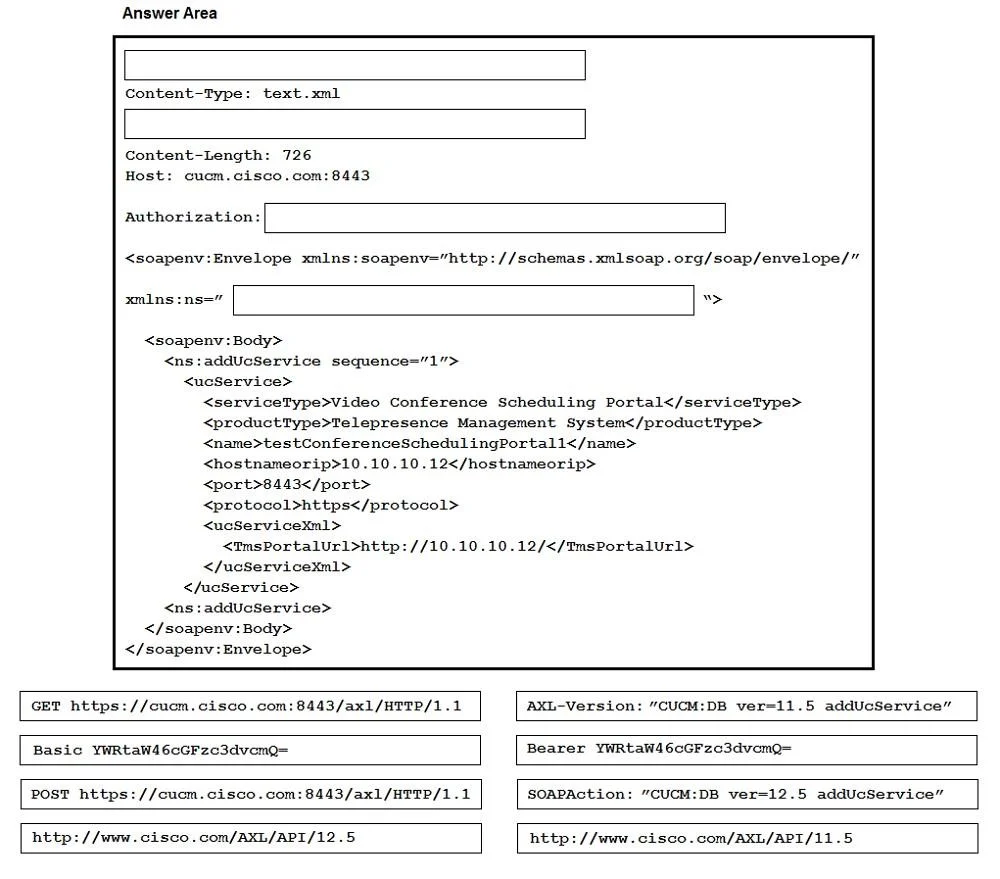
A software engineer must configure a Cisco TelePresence device and custom reporting dashboard to retrieve and display the temperature of the device every minute. Drag and drop the code snippets from…
The Options field in your question is empty ({}), so the specific code snippets weren't included. I'll explain the concept fully so you can map the reasoning to whatever snippets appear on your actual exam. --- Overall Goal The goal is to use Cisco xAPI (the programmatic…
Question
Exhibit
Explanation
The Options field in your question is empty ({}), so the specific code snippets weren't included. I'll explain the concept fully so you can map the reasoning to whatever snippets appear on your actual exam.
Overall Goal
The goal is to use Cisco xAPI (the programmatic interface for Cisco collaboration devices like TelePresence) to:
- Query the device's internal temperature sensor
- Send that data to an external dashboard
- Repeat this automatically every 60 seconds
This is the correct approach because xAPI is the standard API for Cisco TelePresence/RoomOS devices - it exposes status, configuration, and commands over HTTP, WebSocket, or SSH. Temperature is a read-only Status value, not a command, so you query it via xStatus.
Key Concepts and Steps
1. Authentication / Session Setup
You must authenticate against the device (typically via HTTP Basic Auth or a session token) before any API call is accepted. Skipping this means every subsequent request returns 401 Unauthorized.
2. Query the Temperature - xStatus SystemUnit Hardware Temperature
This is the specific xAPI path for device temperature. Using the wrong path (e.g., a Configuration or Command path) would return no data or an error. The response is a JSON/XML object containing the temperature value in Celsius.
Why this path: xAPI organizes data into three trees:
xStatus- read current device state (temperature lives here)xConfiguration- read/write settingsxCommand- trigger actions
3. Parse the Response
Extract the numeric temperature value from the returned payload. If skipped, you'd send raw JSON/XML to the dashboard instead of a clean value, likely breaking the display.
4. Send Data to the Dashboard
POST or PUT the temperature value to the reporting dashboard's endpoint (typically a REST API call with the value in the request body or query parameter). Order matters - you must have the value before you can send it.
5. Schedule Repetition Every 60 Seconds
Wrap the query+send logic in a timer/interval (e.g., setInterval in JavaScript, time.sleep(60) in a loop in Python, or a scheduler call). This is what achieves the "every minute" requirement. Without this, data is collected only once.
What Goes Wrong If Steps Are Skipped
| Skipped Step | Result |
|---|---|
| Authentication | All API calls fail with 401 |
| Correct xStatus path | No temperature data returned |
| Parsing the response | Dashboard receives malformed data |
| Sending to dashboard | Data is collected but never displayed |
| Scheduling interval | Only one reading, no recurring updates |
Memory Tip
Think of it as AQPSS - Auth, Query, Parse, Send, Schedule. Each step feeds the next - you can't send what you haven't parsed, and you can't parse what you haven't queried.
If you share the actual code snippet options from the drag-and-drop, I can tell you exactly where each one belongs and why.
Topics
Community Discussion
No community discussion yet for this question.