
300-715 · Question #400
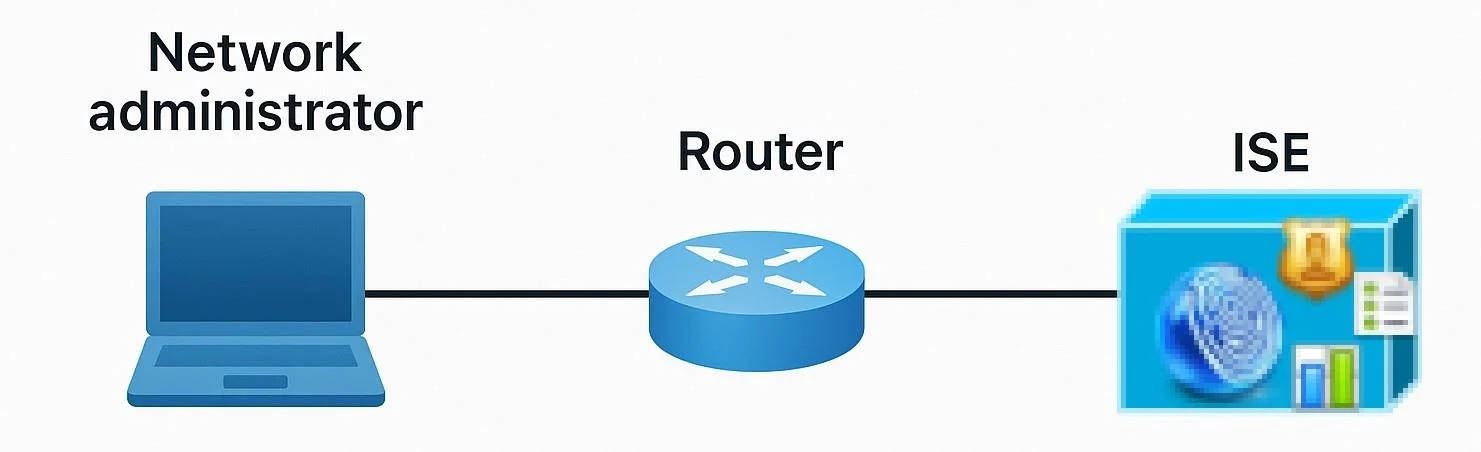
Drag and Drop Question Refer to the exhibit. An engineer must configure Cisco ISE to be used as the TACACS+ server for any administrator that signs into the router. Users must be able to change…
The correct answer is Open Work Centers, open Device Administration, and then open Settings.; Enable Password Change Control.; Select Enable Telnet Change Password.; Open the Session Key Assignment tab, and then click Save. This question tests the ability to correctly sequence the configuration steps in Cisco ISE to enable Telnet password change functionality for TACACS+ administrators.
Question
Drag and Drop Question Refer to the exhibit. An engineer must configure Cisco ISE to be used as the TACACS+ server for any administrator that signs into the router. Users must be able to change their Telnet password through the TACACS+ server. Drag and drop the configuration steps from the left into the sequence on the right. Answer:
Exhibit
Answer Area
Drag items
Correct arrangement
- Open Work Centers, open Device Administration, and then open Settings.
- Enable Password Change Control.
- Select Enable Telnet Change Password.
- Open the Session Key Assignment tab, and then click Save.
Explanation
This question tests the ability to correctly sequence the configuration steps in Cisco ISE to enable Telnet password change functionality for TACACS+ administrators.
Approach. The correct sequence to enable Telnet password change for TACACS+ users in Cisco ISE follows a logical workflow of navigation, enabling general control, enabling specific protocol control, and finally saving the configuration.
- Open Work Centers, open Device Administration, and then open Settings. This is the initial and necessary navigation step within the ISE graphical user interface (GUI) to access the specific configuration section where device administration and password change options are managed. You must reach the correct settings panel before making any changes.
- Enable Password Change Control. Once in the relevant settings, the general capability for password changes must be activated. This acts as a master switch or an overarching control that allows for more specific password change options to be configured and utilized.
- Select Enable Telnet Change Password. With the general password change control enabled, the next specific step is to enable password changes for the Telnet protocol, directly addressing the requirement stated in the question. This option is typically found within the device administration settings, often under TACACS+ related configurations for password policies.
- Open the Session Key Assignment tab, and then click Save. After making all necessary configuration changes, it is crucial to save them for the settings to take effect. While 'Open the Session Key Assignment tab' might refer to a specific layout or context within ISE where these settings are located or where the save button resides, the critical action is to 'click Save' to apply all the configured changes permanently.
Common mistakes.
- common_mistake. A common mistake would be to reorder these steps illogically, which would either make the configuration impossible or ineffective. For example:
- Starting with 'Enable Password Change Control' or 'Select Enable Telnet Change Password' before navigating to the correct configuration section (Work Centers > Device Administration > Settings) would be incorrect, as these options wouldn't be accessible without proper navigation. You can't enable a feature if you haven't opened the menu where it resides.
- Placing 'Open the Session Key Assignment tab, and then click Save' before all other configuration changes are made would result in saving an incomplete or unchanged configuration, as saving should always be the final step after all modifications are applied.
- Enabling 'Telnet Change Password' before 'Password Change Control' (if they are presented hierarchically in the UI) would also be incorrect. The general control needs to be active first before specific protocol-level password changes can be enabled.
Concept tested. This question tests the candidate's practical knowledge of configuring device administration settings, specifically TACACS+ password change functionality for Telnet, within Cisco Identity Services Engine (ISE). It assesses understanding of the administrative workflow and the hierarchy of settings within the ISE portal, demonstrating the ability to implement a specific security feature for network device management.
Topics
Community Discussion
No community discussion yet for this question.