
300-435 · Question #142
A developer creates a Git repository to keep the progress for the code. The repository has a feature branch and a development branch. Before the application is delivered, the two branches must be…
The correct answer is C. git checkout development git merge feature git push feature development. To merge a feature branch into a development branch in Git, switch to the target development branch, merge the feature branch, and then push the merged changes to the remote development branch.
Question
Exhibit
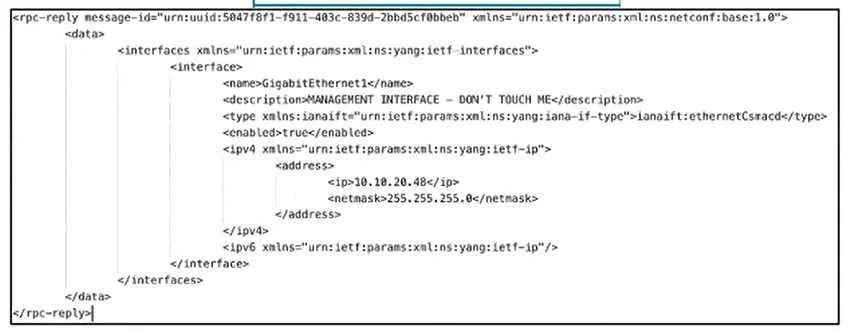
Options
- Agit checkout main git clone feature development git checkout main
- Bgit checkout main git merge feature git checkout development
- Cgit checkout development git merge feature git push feature development
- Dgit checkout feature git push feature development
How the community answered
(56 responses)- A7% (4)
- B16% (9)
- C73% (41)
- D4% (2)
Why each option
To merge a feature branch into a development branch in Git, switch to the target development branch, merge the feature branch, and then push the merged changes to the remote development branch.
`git clone` is used to create a copy of a repository, not for merging branches within an existing repository.
This sequence merges `feature` into `main` (not `development`) and then checks out `development`, which does not accomplish the goal of merging `feature` into `development`.
To integrate changes from the `feature` branch into the `development` branch, you must first switch to the `development` branch using `git checkout development`. Then, you merge the `feature` branch into the current `development` branch using `git merge feature`. Finally, to update the remote `development` branch with these merged changes, you use `git push feature development`, which pushes the local `feature` branch's content into the remote `development` branch, updating it with the merged changes.
Checking out the `feature` branch and then attempting to push `feature development` does not correctly merge `feature` into `development`; the `git merge` command is missing from the workflow.
Concept tested: Git branch merging workflow
Source: https://git-scm.com/docs/git-merge
Topics
Community Discussion
No community discussion yet for this question.