
300-365 · Question #143
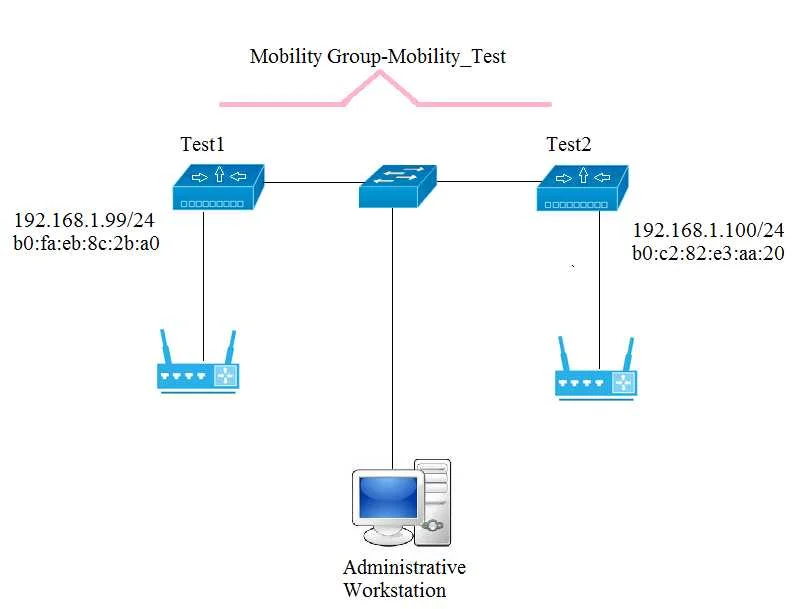
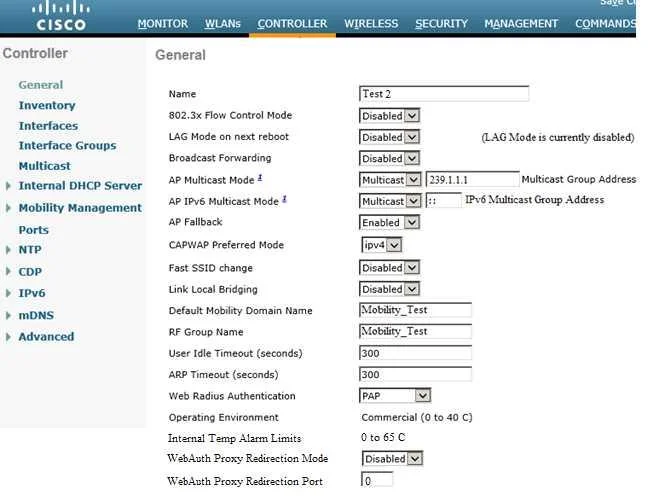
SIMULATION Scenario: You have been tasked with setting up a mobility group (Mobility_Test) in a test lab. There are two WLCs that you will need to configure (Test1 and Test2). Use the Administrative…
The correct answer is A. Mobility Member IP. Mobility Controllers belong to only one group, and can know several mobility groups On Test 1 1. Choose Controller> Mobility Management > Mobility Peer 3. Enter the following details of Test 2: 4. Apply and Save Similarly log in to Test 2 and enter details of Test1
Question
SIMULATION Scenario:
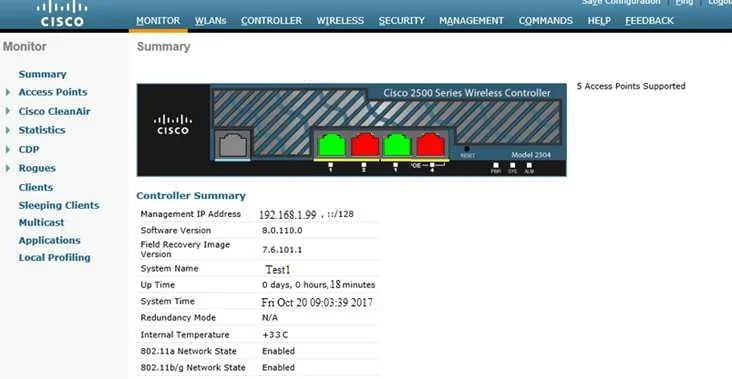
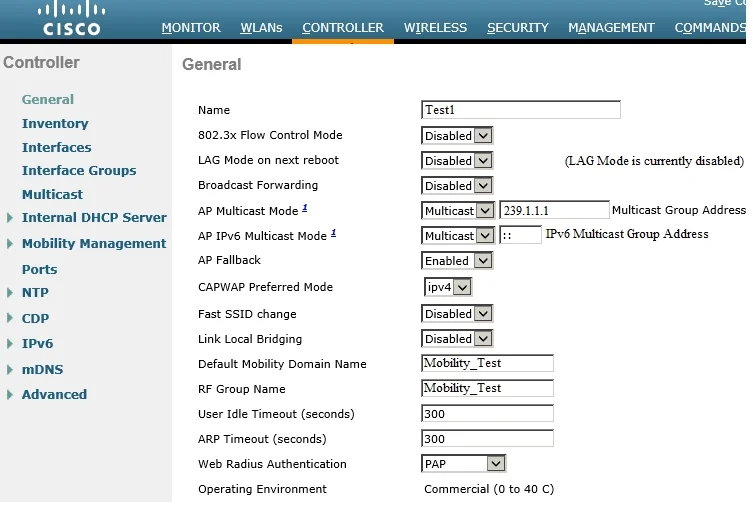
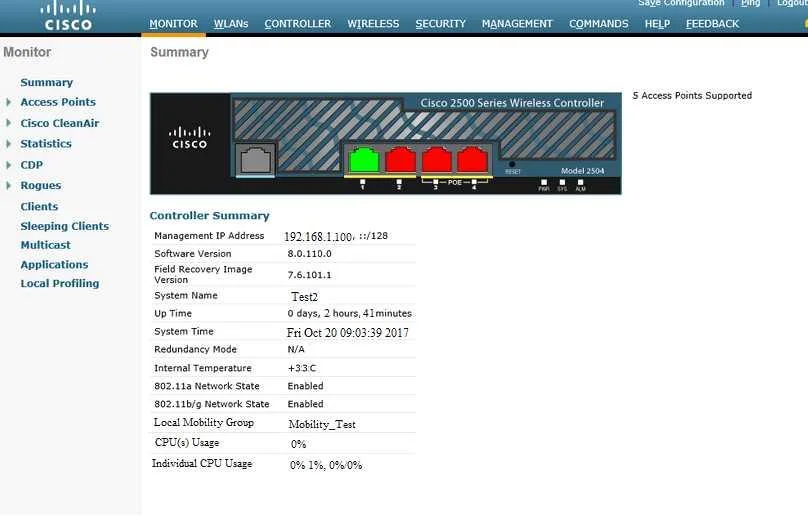
You have been tasked with setting up a mobility group (Mobility_Test) in a test lab. There are two WLCs that you will need to configure (Test1 and Test2). Use the Administrative Workstation to acces the Test1 and Test2 WLCs. Once configured you will need to verify that the mobility group peers are communicating properly. Mobility Group Name: Mobility_Test Mobility Group Members: Test1 IP Address: 192.168.1.99 MAC Address: b0:fa:eb:8c:2b:a0 Mobility Group Members: Test2 Ip Address 192.168.1.100 MAC Address: d0:c2:82:e3:aa:20 You have configured mobility group properly when the status of the mobility group peers is UP. TOPOLOGY VIRTUAL TERMINAL
Exhibits
Options
- AMobility Member IP
- BMobility Member Public IP
- CMobility Member Group Name
- DMulticast IP Address
How the community answered
(57 responses)- A75% (43)
- B4% (2)
- C7% (4)
- D14% (8)
Explanation
Mobility Controllers belong to only one group, and can know several mobility groups On Test 1 1. Choose Controller> Mobility Management > Mobility Peer 3. Enter the following details of Test 2: 4. Apply and Save Similarly log in to Test 2 and enter details of Test1
Topics
Community Discussion
No community discussion yet for this question.