
Broadcom-VMware
2V0-731 · Question #41
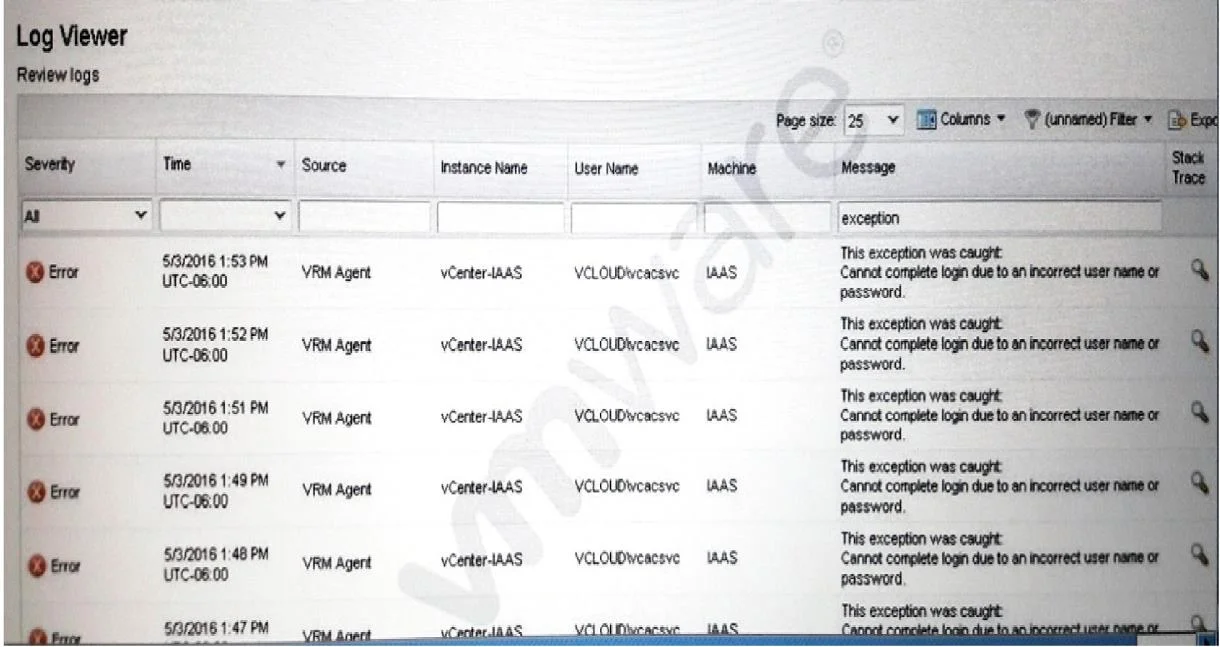
The errors shown appeared in the logs immediately after a change to a service account password. Which option is most likely to resolve the issue?
The correct answer is A. In vRealize Automation, adjust the credentials under Infrastructure > Endpoints > Credentials. See the full explanation below for the reasoning.
Question
The errors shown appeared in the logs immediately after a change to a service account password. Which option is most likely to resolve the issue?
Exhibit
Options
- AIn vRealize Automation, adjust the credentials under Infrastructure > Endpoints > Credentials.
- BDelete and recreate the vSphere endpoint in vRealize Automation under Infrastructure >
- CReinstall the vSphere Proxy Agent.
- DLog into the vSpere Web Client and remap the account.
How the community answered
(28 responses)- A71% (20)
- B4% (1)
- C7% (2)
- D18% (5)
Community Discussion
No community discussion yet for this question.