
2V0-51.21 · Question #66
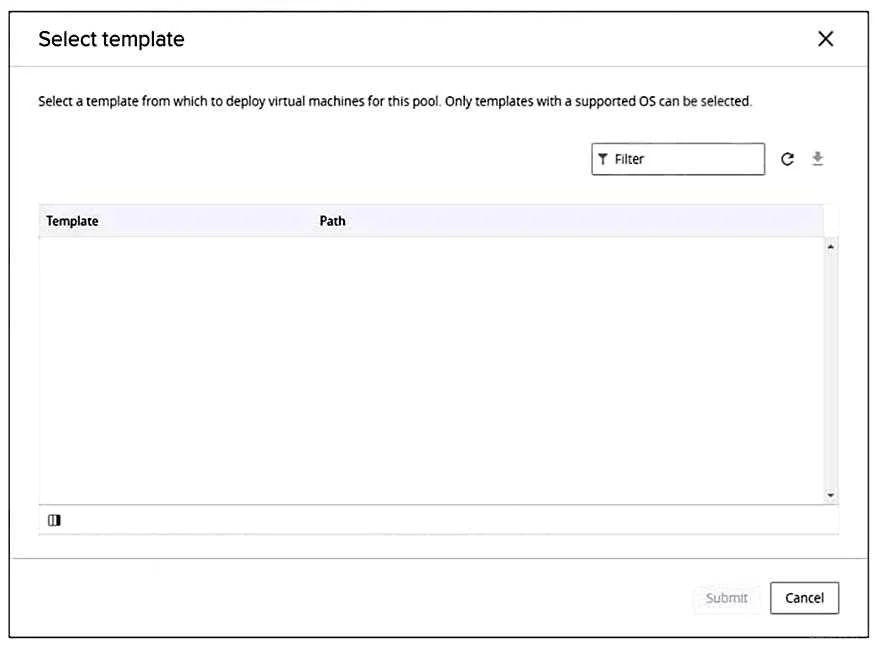
Refer to the exhibit. An administrator is creating an automated desktop pool of full clones. When prompted to select a template, the administrator sees the detail shown in the exhibit. Which two…
The correct answer is A. Open vSphere Client, select the golden image virtual machine, and convert to template. E. Refresh the Select template view and select the template virtual machine. The gold image needs to be a template not a virtual machine. Once it's converted to a template you can refresh the view. A07C77C6-7B7B-43D3-AD3E-25F0831E1811.html
Question
Refer to the exhibit. An administrator is creating an automated desktop pool of full clones. When prompted to select a template, the administrator sees the detail shown in the exhibit. Which two combined actions should the administrator perform to be able to continue with creation of a desktop pool? (Choose two.)
Exhibit
Options
- AOpen vSphere Client, select the golden image virtual machine, and convert to template.
- BOpen vSphere Client, select the golden image virtual machine, and take a snapshot.
- CEnter the golden image virtual machine name in the Template Filter and select the template
- DOpen vSphere Client, select the golden image virtual machine, and remove all snapshots.
- ERefresh the Select template view and select the template virtual machine.
How the community answered
(56 responses)- A77% (43)
- B4% (2)
- C13% (7)
- D7% (4)
Explanation
The gold image needs to be a template not a virtual machine. Once it's converted to a template you can refresh the view. A07C77C6-7B7B-43D3-AD3E-25F0831E1811.html
Topics
Community Discussion
No community discussion yet for this question.