
Broadcom-VMware
2V0-51.21 · Question #19
Which two steps must be completed in order to expand a writable volume? (Choose two.)
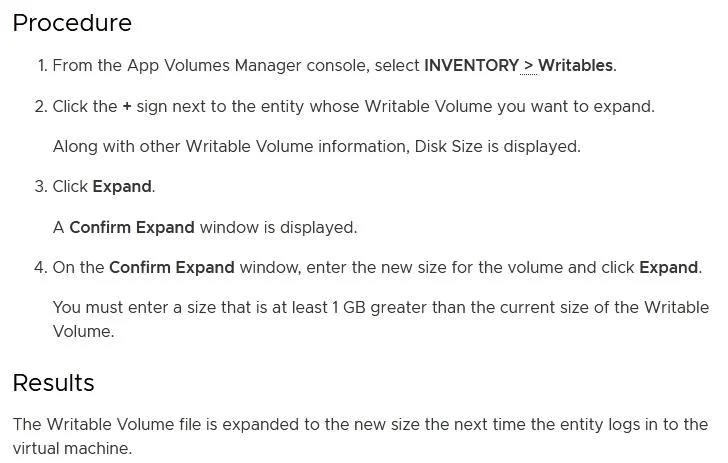
The correct answer is A. Select Volumes > Writables > Select Volume > Expand. E. Specify a size which is at least 1GB larger than the current size of the volume. guide/GUID-9FE94390-8E16-4349-BC79-1D52CD9D32C4.html
Section 4 – Horizon Features and Functionality
Question
Which two steps must be completed in order to expand a writable volume? (Choose two.)
Exhibit
Options
- ASelect Volumes > Writables > Select Volume > Expand.
- BModify the snapvol.cfg to reflect the new size.
- CSelect Volumes > Writables > Select Volume > Update Writable.
- DSpecify a size which is at least 1MB larger than the current size of the volume.
- ESpecify a size which is at least 1GB larger than the current size of the volume.
How the community answered
(55 responses)- A80% (44)
- B11% (6)
- C5% (3)
- D4% (2)
Explanation
guide/GUID-9FE94390-8E16-4349-BC79-1D52CD9D32C4.html
Topics
#App Volumes#writable volumes#volume expansion#App Volumes management
Community Discussion
No community discussion yet for this question.