
200-301 · Question #1077
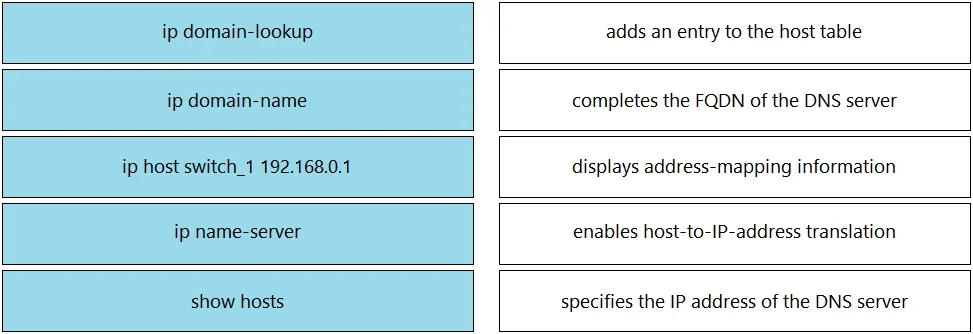
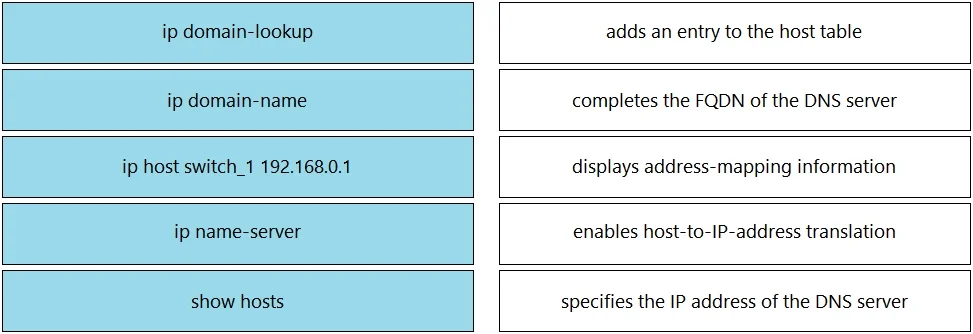
Drag and Drop Question Drag and drop the DNS commands from the left onto their effects on the right. Answer:
Each DNS-related command on a Cisco IOS device serves a distinct purpose: 'ip domain-lookup' enables DNS name resolution (translating hostnames to IP addresses, enabled by default); 'ip domain-name' appends a default domain suffix to unqualified hostnames (e.g., 'switch_1'…
Question
Drag and Drop Question Drag and drop the DNS commands from the left onto their effects on the right. Answer:
Exhibits
Answer Area
Drag items
Explanation
Each DNS-related command on a Cisco IOS device serves a distinct purpose: 'ip domain-lookup' enables DNS name resolution (translating hostnames to IP addresses, enabled by default); 'ip domain-name' appends a default domain suffix to unqualified hostnames (e.g., 'switch_1' becomes 'switch_1.cisco.com'); 'ip host switch_1 192.168.0.1' creates a static host-to-IP mapping in the local host table without querying DNS; 'ip name-server' specifies the IP address of the DNS server(s) the router should query for name resolution; and 'show hosts' displays the cached DNS entries and static host mappings currently known to the device. These commands work together to provide complete DNS functionality on a Cisco device.
Topics
Community Discussion
No community discussion yet for this question.