
1Z0-478 · Question #3
You want to include documentation in the BPEL source code for a business rule component that you are adding to your BPEL model. How would you enter this documentation?
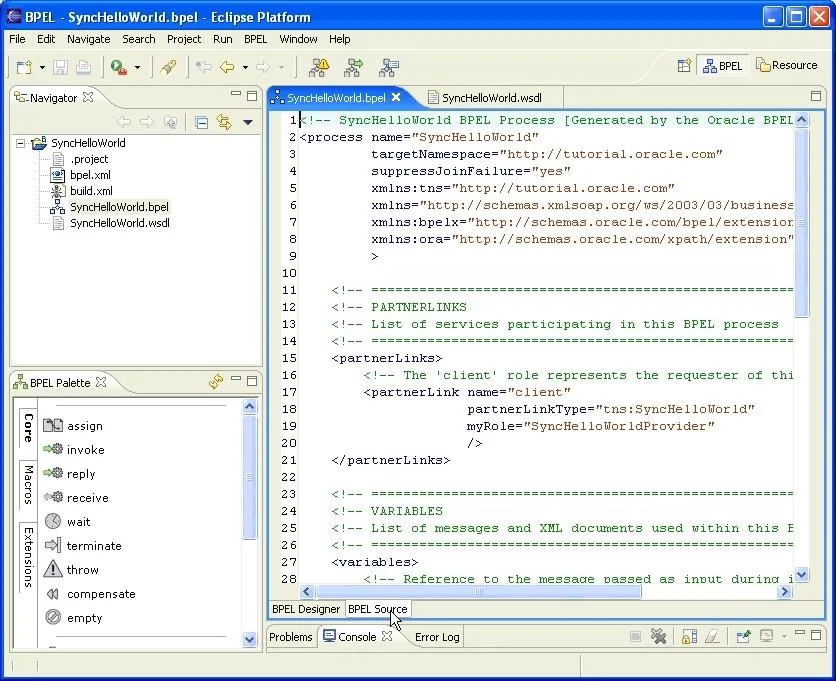
The correct answer is C. As an annotation on the business rule component. Viewing BPEL Source Code At the bottom of the window, you can use the BPEL Designer and BPEL Source tabs to switch between graphical editing mode (BPEL Designer) and text-editing mode for the source code of the BPEL process (BPEL Source). Two-way editing is enabled; that is…
Question
You want to include documentation in the BPEL source code for a business rule component that you are adding to your BPEL model. How would you enter this documentation?
Exhibit
Options
- AAs the value for a BPEL global variable
- BAs a comment attribute on the surrounding scope element
- CAs an annotation on the business rule component
- DAs user documentation on the business rule component
How the community answered
(19 responses)- A16% (3)
- B5% (1)
- C74% (14)
- D5% (1)
Explanation
Viewing BPEL Source Code At the bottom of the window, you can use the BPEL Designer and BPEL Source tabs to switch between graphical editing mode (BPEL Designer) and text-editing mode for the source code of the BPEL process (BPEL Source). Two-way editing is enabled; that is, changes you make in one mode are reflected in the other
Topics
Community Discussion
No community discussion yet for this question.