
Oracle
1Z0-412 · Question #62
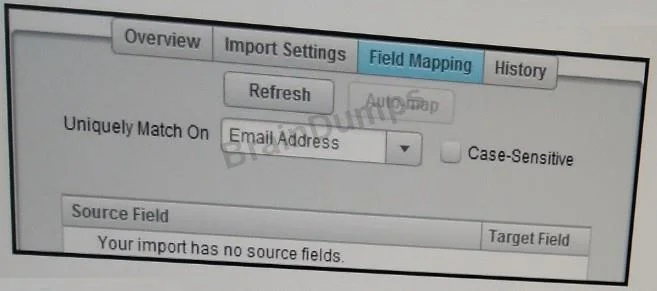
Refer to the Exhibit. You are configuring a Contact Data Import over SFTP. You select Import Settings and successfully test the connection with the Server URL. However, on the Field Mapping screen…
The correct answer is C. Confirm and re-enter the Path of the file location. See the full explanation below for the reasoning.
Question
Refer to the Exhibit. You are configuring a Contact Data Import over SFTP. You select Import Settings and successfully test the connection with the Server URL. However, on the Field Mapping screen, you do not have any fields to map. What do you do?
Exhibit
Options
- AInstall SFTP certificates within Eloqua.
- BEnable Priority Source in the integration area.
- CConfirm and re-enter the Path of the file location.
- DWhitelist the Eloqua database IPs on the SFTP server.
How the community answered
(58 responses)- A14% (8)
- B3% (2)
- C74% (43)
- D9% (5)
Community Discussion
No community discussion yet for this question.