
1Z0-1072 · Question #139
You are running several Linux based operating systems in your on .premises environment that you want to import to OCI as custom images. You can launch your imported images as OCI compute Virtual…
The correct answer is C. Paravirtualized D. Emulated. You can use the Console or API to import exported images from Object Storage. To import an image, you need read access to the Object Storage object containing the image. during the Import you can select the Launch mode: For custom images where the image format is .oci, Oracle…
Question
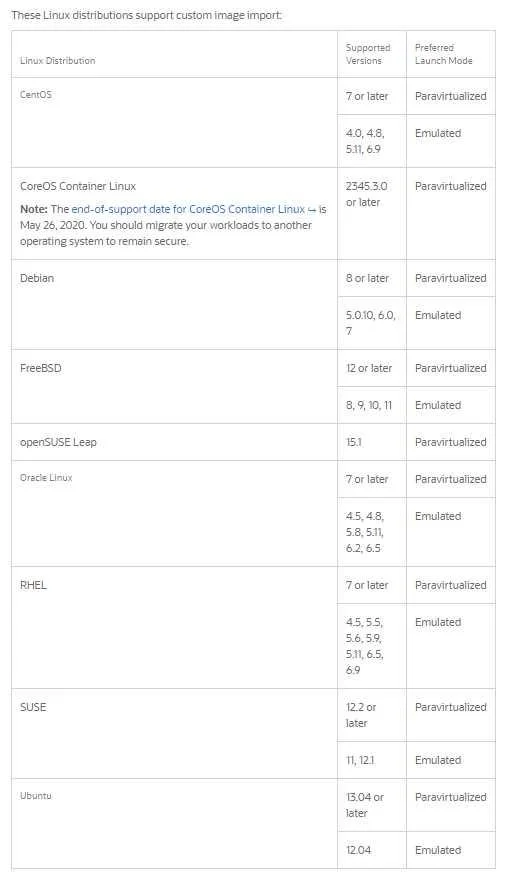
You are running several Linux based operating systems in your on .premises environment that you want to import to OCI as custom images. You can launch your imported images as OCI compute Virtual machines. Which two modes below can be used to launch these imported Linux VMs?
Exhibit
Options
- ANative
- BMixed
- CParavirtualized
- DEmulated
How the community answered
(49 responses)- A8% (4)
- B16% (8)
- C76% (37)
Explanation
You can use the Console or API to import exported images from Object Storage. To import an image, you need read access to the Object Storage object containing the image. during the Import you can select the Launch mode: For custom images where the image format is .oci, Oracle Cloud Infrastructure selects the applicable launch mode based on the launch mode for the source image. For custom images exported from Oracle Cloud Infrastructure where the image type is QCOW2, select Native Mode. To import other custom images select Paravirtualized Mode or Emulated Mode. For more information, see Bring Your Own Image (BYOI).
Topics
Community Discussion
No community discussion yet for this question.