
1Y0-403 · Question #194
Scenario: A Citrix Architect needs to design a new XenApp and XenDesktop environment. Currently, the environment is configured with two locations with identical XenDesktop Sites. Each Site has two…
The correct answer is D. Static Proximity. Explanation/Reference: https://support.citrix.com/article/CTX130154 When configuring NetScaler GSLB to use the client proximity, you can choose one of the following proximity methods: Dynamic Proximity…
Question
Scenario: A Citrix Architect needs to design a new XenApp and XenDesktop environment. Currently, the environment is configured with two locations with identical XenDesktop Sites. Each Site has two Delivery Controllers, two StoreFront servers, and one NetScaler high availability pair. The same applications have been published from both Sites for all the users. Two Zones (Zone A and Zone B) are configured in each Site with one Controller in each zone. The Microsoft Exchange server is only accessible from Virtual Delivery Agent (VDA) machines in Zone A in each Site. The following access requirements have been identified:
- Users should have a single URL when accessing resources from different
Sites.
- Users should always connect to the datacenter closest to their location.
- Applications added to Favorites within Citrix Receiver should be retained
when accessed from different Sites.
- Launched applications and desktops should always connect through a local
NetScaler.
- No duplication of applications published from different Sites.
- Microsoft Outlook should always launch in Zone A.
In which mode should the architect recommend configuring Global Server Load Balancing (GSLB) to ensure that a user always connects to the datacenter closest to their location?
Exhibit
Options
- ASource IP hash
- BDynamic RTT
- CLeast response time
- DStatic Proximity
How the community answered
(41 responses)- A10% (4)
- B2% (1)
- C5% (2)
- D83% (34)
Explanation
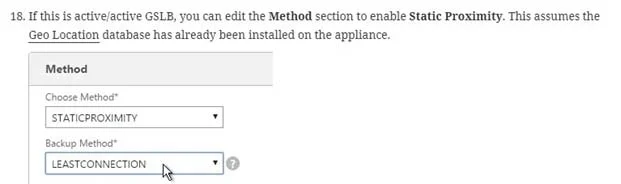
Explanation/Reference: https://support.citrix.com/article/CTX130154 When configuring NetScaler GSLB to use the client proximity, you can choose one of the following proximity methods: Dynamic Proximity https://docs.citrix.com/en-us/netscaler/11-1/gslb/configure-gslb-proximity.html Configuring Static Proximity The static proximity method for GSLB uses an IP address-based static proximity database to determine the proximity between the client's local DNS server and the GSLB sites. The NetScaler appliance responds with the IP address of a site that best matches the proximity criteria. If two or more GSLB sites at different geographic locations serve the same content, the NetScaler appliance maintains a database of IP address ranges and uses the database for decisions about the GSLB sites to which to direct incoming client requests. Configuring Dynamic Method (RTT) Dynamic round trip time (RTT) is a measure of time or delay in the network between the client's local DNS server and a data resource. To measure dynamic RTT, the NetScaler appliance probes the client's local DNS server and gathers RTT metric information. The NetScaler then uses this metric to make its load balancing decision. Global server load balancing monitors the real-time status of the network and dynamically directs the client request to the data center with the lowest RTT value To configure GSLB for proximity with dynamic method, you must first configure the basic GSLB set up and then configure dynamic RTT. To guarantee closest to their location static with a geolocation database. If you want to use DNS Policies or Static Proximity GSLB Load Balancing or Responders based on user's location, import a geo location database.
Topics
Community Discussion
No community discussion yet for this question.