
156-915.76 · Question #223
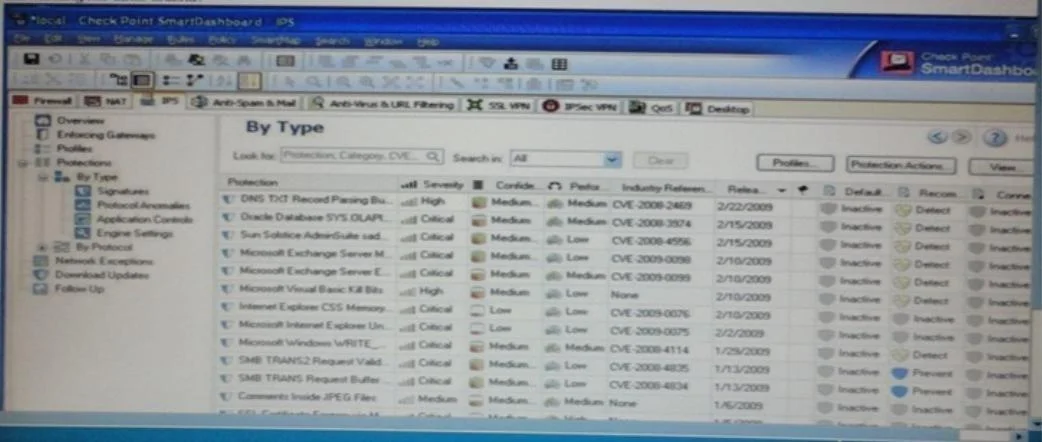
Laura notices the Microsoft Visual Basic Kill Bits Protection is set to inactive. She wants to set the Microsoft Visual Basic Kill Bits Protection and all other Performance Impact Protections to…
Sign in or unlock 156-915.76 to reveal the answer and full explanation for question #223. The question stem and answer options stay visible for context.
Question
Laura notices the Microsoft Visual Basic Kill Bits Protection is set to inactive. She wants to set the Microsoft Visual Basic Kill Bits Protection and all other Performance Impact Protections to Prevent. She asks her manager for approval and he started she can turn these on. But he wants Laura to make sure High Performance Impacted Protections are turned on while changing this setting. Using the output below, how would Laura Change the Default_Protection on Performance Impact Protections classified as Low from inactive to Prevent still meeting her other criteria?
Exhibit
Options
- AGo to Profiles / Default_Protection and uncheck Do not activate protections with performance impact
- BGo to Profiles / Default_Protection and select Do not activate protections with performance impact to
- CGo to Profiles / Default_Protection and select Do not activate protections with performance impact to
- DGo to Profiles / Default_Protection and select Do not activate protections with performance impact to
Unlock 156-915.76 to see the answer
You've previewed enough free 156-915.76 questions. Unlock 156-915.76 for full answers, explanations, the timed quiz mode, progress tracking, and the master PDF. Question stem and options stay visible so you can still see what's on the exam.