
156-561 · Question #43
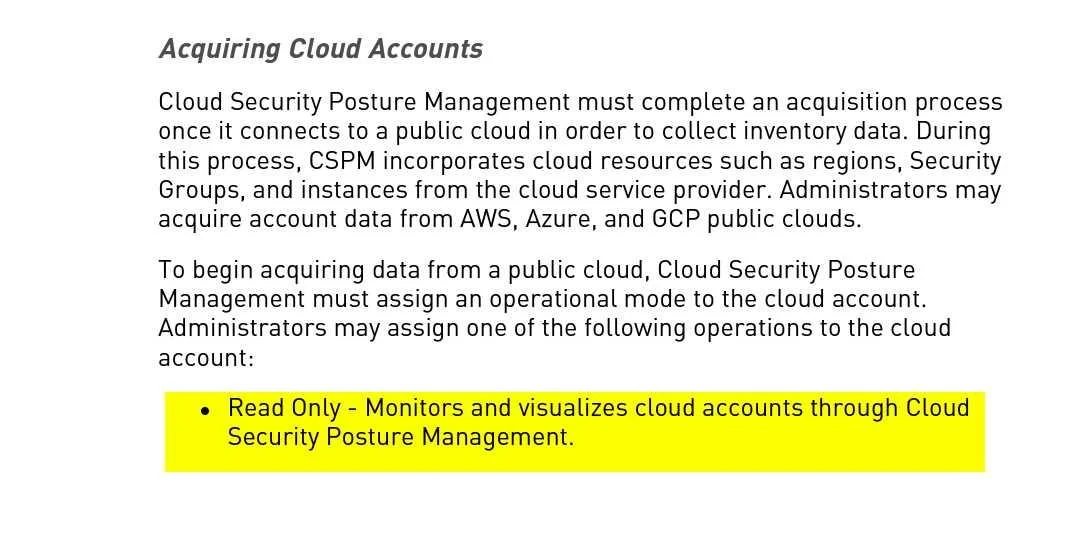
Cloud Security Posture Management operational modes for cloud accounts are:
The correct answer is A. Read Only, Full Protection, Region Lock. Option A is correct because CSPM platforms (such as Prisma Cloud) offer exactly these three operational modes when onboarding cloud accounts: Read Only (scan and assess without making changes), Full Protection (read plus write access enabling automated remediation), and Region…
Question
Cloud Security Posture Management operational modes for cloud accounts are:
Exhibit
Options
- ARead Only, Full Protection, Region Lock
- BRead Only, Read/Write, Region Lock
- CRead Only, Read/Write, Full Protection
- DRead/Write, Partial Protection, Full Protection
How the community answered
(38 responses)- A89% (34)
- B3% (1)
- C5% (2)
- D3% (1)
Explanation
Option A is correct because CSPM platforms (such as Prisma Cloud) offer exactly these three operational modes when onboarding cloud accounts: Read Only (scan and assess without making changes), Full Protection (read plus write access enabling automated remediation), and Region Lock (restricts monitoring/management to specific geographic regions).
Options B and D are wrong because "Read/Write" is not a standalone named mode - the write-capable mode is called Full Protection, which implies automated remediation on top of read access, not just generic read/write access. Option C fails because it includes "Read/Write" as a distinct mode alongside Full Protection, but these aren't two separate modes - Full Protection is the write-enabled mode.
Memory tip: Think of the progression as a security posture dial - "Look but don't touch" (Read Only) → "Look and fix" (Full Protection) → "Look only here" (Region Lock). The word "Full" in Full Protection is your signal that it's the highest-capability mode, not a generic read/write label.
Topics
Community Discussion
No community discussion yet for this question.