
Check_Point
156-215.71 · Question #190
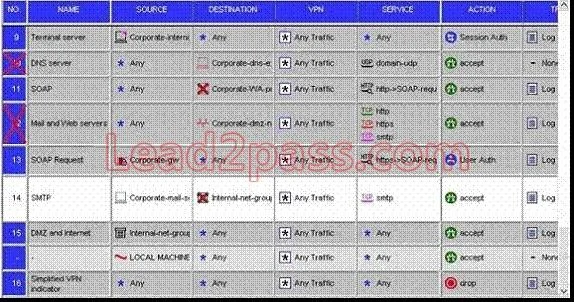
How would you disable a rule? Check Point 156-215.71 Exam
The correct answer is C. By selecting the rule, then select "Disable Rule" option from Rules menu in CheckPoint SmartDashboard. See the full explanation below for the reasoning.
Question
How would you disable a rule? Check Point 156-215.71 Exam
Exhibit
Options
- ABy selecting the rule, then select "Disable Rule" option from Topology menu in CheckPoint
- BBy selecting the rule, then select "Disable Rule" option from Rules menu in SmartView Tracker
- CBy selecting the rule, then select "Disable Rule" option from Rules menu in CheckPoint SmartDashboard
- DBy selecting the rule, then select "Disable Rule" option from File menu in CheckPoint SmartDashboard
- EBy selecting the rule, then select "Disable Rule" option from Rules menu in SmartView Status
How the community answered
(35 responses)- A6% (2)
- B3% (1)
- C77% (27)
- D11% (4)
- E3% (1)
Community Discussion
No community discussion yet for this question.